WhatsApp Blank Status: Send Empty Stories Without Text Like a Pro
Have you ever scrolled through WhatsApp statuses and wished you could post something enigmatic, minimalist, or perhaps even just… nothing? Something that sparks curiosity without saying a word? If you’re looking to make your WhatsApp Status stand out by being subtly blank, you’ve come to the right place. This comprehensive guide will walk you through the simple steps to create and post a truly WhatsApp blank status, differentiate it from a blank message, and give you the exact text you need to copy and paste for instant success.
Forget the frustration of WhatsApp telling you your status can’t be empty. With our expert tricks, you’ll be posting an intriguing empty story without text in no time, leaving your contacts wondering how you did it!
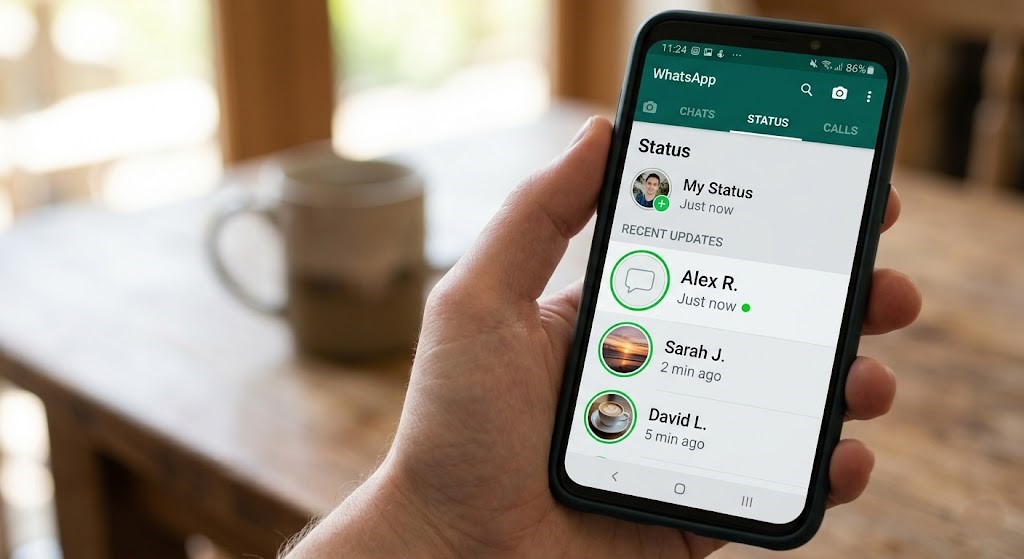
Why Send a WhatsApp Blank Status? The Art of Saying Nothing
At first glance, sending a whatsapp blank status might seem counterintuitive. Why would anyone want to post nothing? However, there are several compelling reasons why this seemingly simple trick has gained immense popularity:
- Mystique and Curiosity: A blank status piques interest. It makes people stop and wonder, “What’s going on here?” or “Why is this person posting an empty status?”
- Minimalism and Aesthetics: For those who appreciate clean, uncluttered aesthetics, a blank status can be incredibly appealing. It’s the ultimate minimalist statement.
- Subtle Messaging: Sometimes, silence speaks volumes. An empty story without text can convey a mood – perhaps reflection, a pause, or even a subtle hint that you’re offline mentally.
- Drawing Attention: In a feed full of vibrant photos, videos, and text updates, a starkly blank status can paradoxically stand out the most.
- “Nothing to Say” Status: When you want to update your status but genuinely have no specific message or media to share, a whatsapp blank status is the perfect placeholder.
WhatsApp Blank Status vs. Blank WhatsApp Message: Understanding the Difference
Before diving into the tutorial, it’s crucial to understand the distinction between sending a blank WhatsApp status and a blank WhatsApp message. While both involve using invisible characters, their purpose, audience, and execution vary slightly.
Blank WhatsApp Message
A blank WhatsApp message is typically a private communication sent to an individual chat or a group. Its purpose is often to prank someone, test if they’re active, or simply send an empty message for specific, often playful, reasons. To achieve this, you send an invisible character directly into a chat window, making the message bubble appear empty.
Blank WhatsApp Status
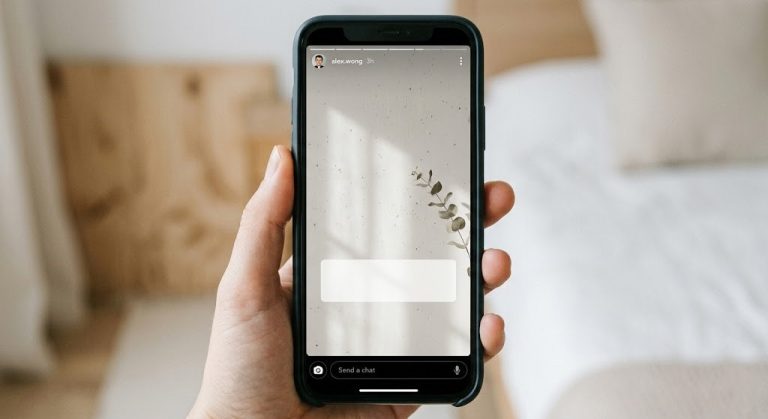
A whatsapp blank status, on the other hand, is a public (to your selected contacts) broadcast that appears in the “Status” tab. It remains visible for 24 hours. The goal here is to create an empty story without text that contributes to your public persona on WhatsApp. While the underlying trick of using an invisible character is similar, the context and user interface for posting a status mean the steps are slightly different from sending a direct message.
The key takeaway? We’re focusing on making your 24-hour story feed truly blank, not just an empty chat bubble.
The Simple Tutorial: How to Send a WhatsApp Blank Status (The Easy Way!)
Ready to post your first intriguing whatsapp blank status? This method is incredibly simple, reliable, and works on both Android and iOS devices. The secret lies in a special Unicode character that appears completely invisible. We’ve made it super easy for you with a 1-click copy solution!
Step 1: Copy the Invisible Character (1-Click Solution!)
The magic happens with an invisible character that WhatsApp recognizes as valid content, preventing it from flagging your status as empty. Simply tap the “Copy” button below to grab it:
Copy this invisible character:
(This character is truly invisible. You won’t see anything between the quotes in the text box above, but it’s there!)
Step 2: Open WhatsApp and Navigate to the Status Tab
Launch your WhatsApp application. At the top of your screen (or bottom, depending on your device), tap on the “Status” tab.
Step 3: Initiate a New Text Status
Within the Status tab, you’ll see a pencil icon (usually in the bottom right corner). Tap this icon to create a new text-based status update. This is where you would normally type your thoughts.
Step 4: Paste the Invisible Character
In the text input field that appears, long-press (tap and hold) until the “Paste” option appears. Tap “Paste.” You won’t see anything appear in the text box, which is exactly what we want! The invisible character is now present, making your text field appear empty.
Step 5: (Optional) Add a Background Color
To enhance your whatsapp blank status, you can change its background color. Tap the palette icon (usually located near the text field) and choose any color you prefer. This will make your blank status visually appealing, as it will be just a colored background with no text, adding a touch of sophisticated minimalism.
Step 6: Post Your Blank Status!
Once you’re satisfied, tap the green arrow or “Send” button (usually in the bottom right corner) to post your empty story without text. Congratulations! You’ve successfully posted a WhatsApp blank status that will puzzle and intrigue your contacts for the next 24 hours.
Troubleshooting and Pro Tips for Your WhatsApp Blank Status
While sending a whatsapp blank status is straightforward, here are a few tips and potential solutions if you encounter any issues:
- Ensure Accurate Copying: If your status isn’t appearing blank, double-check that you accurately copied only the invisible character. Sometimes, extra spaces get picked up, which can prevent the desired effect.
- No Extra Spaces: Make sure you don’t accidentally add any regular spaces before or after pasting the invisible character. Any visible character – even a single space – will negate the “blank” effect, making WhatsApp register it as non-empty text.
- WhatsApp Version: While this trick is quite universal, ensure your WhatsApp application is updated to the latest version. This helps guarantee compatibility and smooth functionality.
- Avoid Combining with Other Text: For a truly empty story without text, stick exclusively to the invisible character. Adding even a single letter, number, or emoji will make it a regular status with visible content.
- Strategic Use: Don’t spam your contacts with blank statuses. Use them strategically to create impact and maintain their enigmatic appeal. Their rarity is part of their charm!
Conclusion: Master Your WhatsApp Presence with Blank Stories
You’ve now mastered the art of creating a whatsapp blank status – a simple yet powerful way to express minimalism, curiosity, or simply make a unique statement on WhatsApp. This easy tutorial, complete with a 1-click copy solution, empowers you to create intriguing empty stories without text that stand out in a sea of updates.
Whether you’re aiming for a touch of mystery, a clean aesthetic, or just want to tell the world you have “nothing to say” in the most elegant way possible, your new skill will certainly get noticed. Go ahead, try sending your first whatsapp blank status and watch the reactions roll in!