TikTok Hidden Username: How to Get a Blank Profile Name and Stand Out
In the hyper-competitive world of TikTok, where billions of videos are vying for attention, simply creating great content isn’t always enough. Creators are constantly looking for new ways to grab eyeballs, spark curiosity, and differentiate themselves. One increasingly popular, yet often misunderstood, tactic is sporting a truly unique profile – specifically, a **tiktok blank username**.
Imagine scrolling through your feed and encountering a profile with no visible name, just a smooth, empty space where text should be. It’s intriguing, it’s mysterious, and it immediately makes you pause. This isn’t a glitch, nor is it a hack in the traditional sense. It’s a clever utilization of specific Unicode characters that TikTok’s robust algorithm interprets as valid, yet invisible, text. Ready to unlock this secret and make your profile truly stand out? This comprehensive guide will walk you through exactly how to achieve a hidden username on TikTok, whether you’re on iOS or Android.
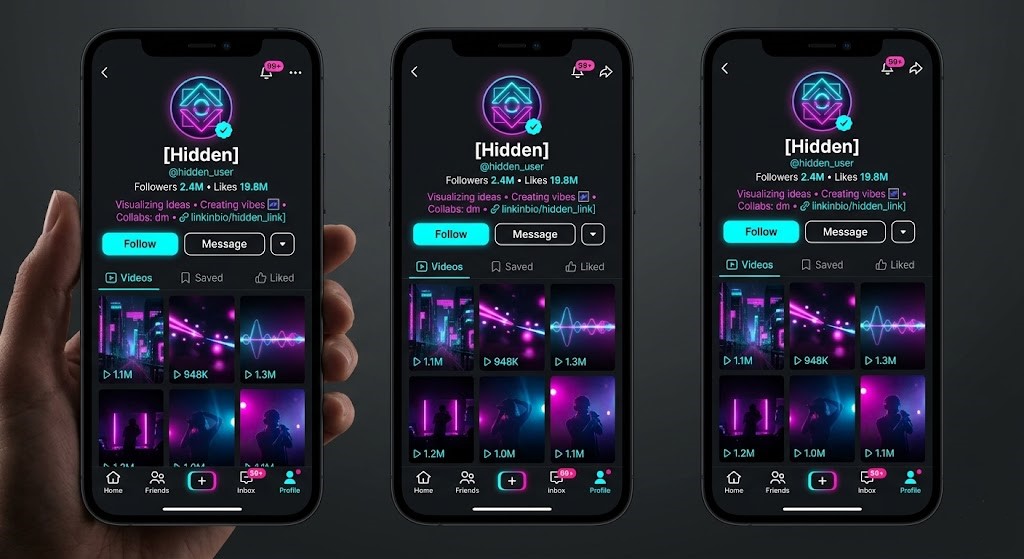
The Allure of a Blank TikTok Username
Why would anyone want a TikTok Hidden Username? The reasons are diverse and often strategic:
* **Aesthetic Appeal:** A clean, minimalist profile can look incredibly professional and polished. It removes visual clutter, letting your profile picture and content speak for themselves.
* **Mystery and Intrigue:** Humans are naturally curious. A blank name sparks questions: “How did they do that?” “Who is this person?” This can lead to more profile visits and engagement.
* **Brand Uniqueness:** For personal brands or businesses, a blank name can be a distinctive element that sets them apart from the countless other accounts with conventional names. It’s memorable precisely because it’s not there.
* **Privacy (to an extent):** While your profile will still be public (unless set to private), a blank username makes it harder for someone to search for you by name, pushing discovery more towards your content and hashtags.
* **Trendsetting:** Being one of the few to sport a truly invisible name can position you as an early adopter or a creative trendsetter within your niche.
In an ecosystem governed by a strict algorithm designed to categorize and connect users, finding such a subtle yet impactful way to differentiate yourself is a testament to creative problem-solving. A **tiktok blank username** is more than just an empty space; it’s a statement.
Understanding TikTok’s Username Policy (and Its Clever Loophole)
TikTok, like most social media platforms, has a set of rules governing usernames:
* **Uniqueness:** Every username must be unique.
* **Length:** Typically between 2 and 24 characters.
* **Allowed Characters:** Usually letters (a-z), numbers (0-9), underscores (_), and periods (.). Special symbols are generally forbidden.
These rules are in place to maintain order, ensure user identification, and prevent confusion. The platform’s algorithm constantly checks new username entries against its database to enforce these guidelines.
However, the internet operates on a global standard called Unicode. Unicode is a universal character encoding standard that represents text from virtually all of the world’s writing systems. This includes not just letters and numbers, but also a vast array of symbols, emojis, and – critically for our purpose – “invisible” or “zero-width” characters.
The strict TikTok algorithm processes these Unicode characters as valid input because they are technically characters. The loophole arises because some of these characters, despite being valid, have no visual representation. They appear as nothing, a true **tiktok blank username**. The algorithm sees a character, acknowledges its uniqueness, and accepts it, while your eyes see an empty space.
The Secret Character: Making Your TikTok Hidden Username
The key to achieving a blank TikTok username lies in finding the right Unicode character that TikTok accepts but doesn’t display. While several “zero-width” characters exist, one of the most reliable and universally supported for this purpose is the **Braille Pattern Blank**.
This character, officially known as **U+2800**, is designed to represent an empty braille cell. When rendered by most systems and applications (including TikTok), it appears as a completely invisible space. It’s not a regular space character (which TikTok would trim or disallow if it’s the only character), but a distinct, non-printing character that fulfills the minimum character requirement without showing anything.
Ready to use it? Here is the invisible character for you to copy. Make sure you only copy the character itself, not any surrounding spaces or text:
Copy the character between these brackets: [⠀]
To ensure you copy it correctly, highlight *only* the space within the brackets and copy it.
Step-by-Step Guide: How to Get Your Blank TikTok Username (iOS & Android)
The process is identical for both iOS and Android devices, as it relies on the Unicode character itself, not specific operating system functionalities.
- Copy the Invisible Character:
- Go back to the section above and carefully copy the invisible Braille Pattern Blank character: [⠀]
- Ensure you haven’t copied any extra spaces or text. It should feel like you’ve copied nothing, but trust that the character is there.
- Open the TikTok App:
- Launch the TikTok application on your smartphone or tablet.
- Navigate to Your Profile:
- Tap on the “Profile” icon located in the bottom right corner of your screen.
- Edit Your Profile:
- On your profile page, tap the “Edit profile” button. This will take you to a screen where you can change various aspects of your profile, including your username.
- Paste into the Username Field:
- Tap on your current username. This will open the text field for editing.
- Delete your existing username.
- Long-press (tap and hold) on the empty username field until the “Paste” option appears.
- Tap “Paste.” You won’t see anything appear in the text field, but the invisible character has been inserted.
- Pro Tip: If TikTok gives you an error about minimum characters, try pasting the character two or three times. Even though it’s invisible, each paste adds another instance of the character, fulfilling the minimum length requirement.
- Save Your Changes:
- Once you’ve pasted the character(s), tap the “Save” button (usually in the top right corner).
- TikTok might prompt you to confirm the change. Confirm it.
Voila! Your TikTok username should now appear completely blank on your profile. Enjoy your unique new look!
Important Considerations When Using a Blank Username
While achieving a **tiktok blank username** is a cool trick, there are a few things to keep in mind:
* **Discoverability:** While you’ll stand out, potential followers cannot search for you by a blank name. They will need to find you via your content, hashtags, sounds, or direct links. This isn’t necessarily a drawback; it simply shifts the focus to your content strategy.
* **The TikTok Algorithm:** Using an invisible character won’t negatively impact your standing with the algorithm. TikTok’s algorithm primarily focuses on content quality, engagement, watch time, and consistency. A blank username is a cosmetic change and doesn’t affect these core metrics.
* **Uniqueness Still Applies:** Even though it’s invisible, the Braille Pattern Blank character is still a unique character. Therefore, someone else cannot have the exact same blank username (i.e., the exact same sequence of invisible characters). If you encounter an error saying the username is taken, it’s possible someone else has already used that precise combination of invisible characters. Try adding a few more invisible characters.
* **Changing It Back:** You can always revert to a traditional username at any time by following the same “Edit profile” steps and simply typing in a new, visible username.
Troubleshooting Common Issues
* **”Username not allowed” or “Invalid characters”:** This usually means you accidentally copied an extra space, a line break, or some other forbidden character along with the invisible one. Go back to step 1 and meticulously copy *only* the character within the brackets.
* **”Username already taken”:** As mentioned, even invisible characters are unique. Try pasting the character two or three times to create a slightly different (but still blank) username combination.
* **It’s not showing blank, but a tiny box or question mark:** This is rare with the Braille Pattern Blank (U+2800) but can happen if a specific device or font has trouble rendering it. In such cases, you can try an alternative: The **Hangul Filler (U+3164)**. Copy the character between these brackets: **[ㅤ]** (it’s similar to the first one, but a different Unicode point). Try replacing your current invisible character with this one.
Conclusion
Achieving a **TikTok Hidden Username** is a fantastic way to differentiate yourself on a platform where individuality often gets lost in the crowd. By understanding how TikTok’s algorithm interprets Unicode characters, you can leverage this simple yet effective trick to create an instantly intriguing and aesthetically pleasing profile.
It’s not about cheating the system, but rather ingeniously using its inherent flexibility to your advantage. Whether you’re aiming for a minimalist aesthetic, a touch of mystery, or simply want to stand out from the endless stream of conventional usernames, this guide provides you with the exact tools and steps to achieve a truly invisible profile name. Go ahead, give it a try, and watch how a little bit of nothing can make a huge impact on your TikTok presence!