Invisible characters often referred to as blank text, empty text, or hidden spaces are fascinating anomalies in the digital world. While they appear as empty gaps to the naked eye, they are mathematically and technically recognized by computers as legitimate text strings.
This comprehensive guide covers everything you need to know about the fundamentals of invisible characters, their underlying mechanics, the rich history of their integration into the Unicode standard, and their practical and aesthetic applications in modern digital communication.
What is an Invisible Character and Invisible Text?
An invisible character (or hidden character) is a specific typographical symbol that is processed and registered by digital systems but renders as completely transparent or empty on a screen. Unlike standard letters, numbers, or punctuation marks that have visible glyphs, an invisible character lacks a visual footprint.
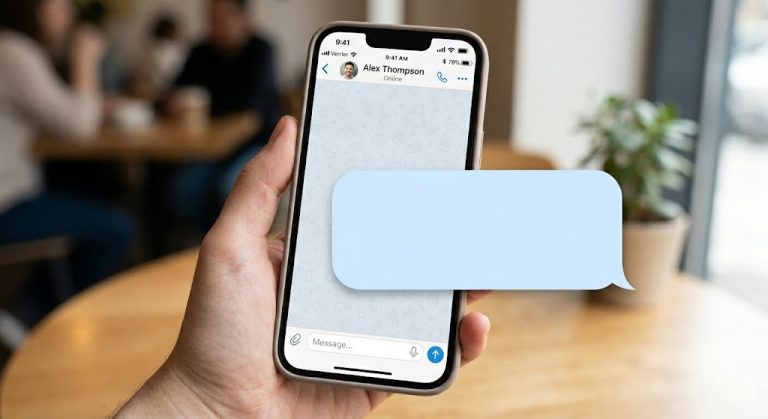
Invisible text is simply a string or sequence made entirely of these invisible characters. When a user sends or pastes invisible text, the system perceives that a message has been entered bypassing “empty message” errors even though the recipient sees nothing but a blank space.
Key Characteristics
- No Visual Glyph: They occupy space (or sometimes zero space) without displaying a visible mark.
- Machine-Readable: They possess unique Unicode or ASCII values.
- Bypass Mechanisms: They easily trick form validations that require text inputs, allowing users to send “empty” messages on platforms like WhatsApp, Discord, or Instagram.
How Do Invisible Characters Work Technically?
To understand how invisible characters work, one must look at how computers interpret text. Digital systems do not “read” letters; they read numbers. Every keystroke you make is mapped to a specific numerical value defined by encoding standards like ASCII or Unicode.
When a software application or a web browser receives one of these numerical values, it consults a font file to display the corresponding visual glyph. For an invisible character:
1. Input Generation: A user inputs a specific Unicode value (e.g., U+200B for a Zero-Width Space).
2. System Processing: The operating system and application read the value and recognize it as a valid character.
3. Rendering: The rendering engine checks the font file. For invisible characters, the font file explicitly instructs the engine to render a space of a specific width (or zero width) without drawing any pixels.
Because the system registers a valid character code, it satisfies input validation checks, distinguishing it entirely from an empty string ("").
The Core Difference Between a Regular Blank Space and an Invisible Character
A common misconception is that invisible characters are just multiple taps of the spacebar. While they look identical, they behave entirely differently on a technical level.
| Feature | Regular Blank Space (Spacebar) | Invisible Character (e.g., Hangul Filler, Braille Blank) |
|---|---|---|
| Unicode Value | U+0020 | U+3164, U+2800, U+200B, etc. |
| Input Method | Pressing the Spacebar | Copy-pasting, Alt Codes, or Unicode escape sequences |
| Form Validation | Usually stripped or rejected by “trim” functions in web forms. | Bypasses trim functions; recognized as a standard alphanumeric character. |
| Messaging Apps | Cannot be sent as an empty message. | Can be sent as a completely blank message. |
| Line Breaking | Creates a natural break point for text wrapping. | Often acts as a non-breaking space or zero-width joiner, affecting formatting. |
In short, a regular space is a formatting tool designed to separate words. An invisible character is often a functional command disguised as empty space, allowing it to bypass standard text validation algorithms.
Types of Invisible Unicode Characters
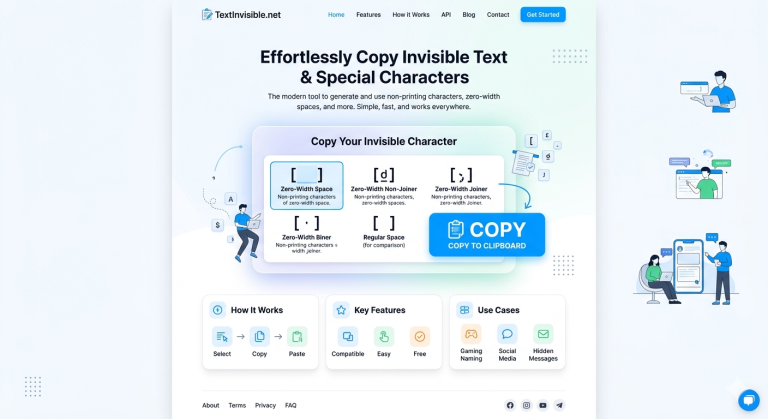
The Unicode standard is vast and includes dozens of characters that render invisibly, each created for a highly specific typographical or functional purpose. Below is a breakdown of the most commonly used invisible characters:
1. Zero-Width Characters
These characters do not take up any horizontal or vertical space. They are completely invisible and are used primarily for text formatting and controlling how adjacent characters interact.
– Zero-Width Space (ZWSP – U+200B): Allows for line breaks in long words or URLs without adding a visible space.
– Zero-Width Non-Joiner (ZWNJ – U+200C): Prevents two characters from merging into a ligature (common in Arabic and Persian scripts).
– Zero-Width Joiner (ZWJ – U+200D): Forces two characters to merge into a ligature (famously used to combine multiple emojis into a single new emoji, like a family or skin tone variant).
2. Spacing Characters
These characters take up horizontal space but display no glyph.
– No-Break Space (NBSP – U+00A0): Acts like a regular space but prevents the text engine from wrapping the line at that point.
– En Space (U+2002) & Em Space (U+2003): Typographical spaces with precise widths (half the width of a standard font size, and the full width of a standard font size, respectively).
– Ideographic Space (U+3000): A space used in CJK (Chinese, Japanese, Korean) typography, matching the width of CJK characters.
3. Blank Fillers
These are the characters most commonly used to send empty messages or create blank names in video games.
– Hangul Filler (U+3164): Originally used in Korean typography to represent an empty block. It is widely used today for creating blank names in games like Among Us or Free Fire.
– Braille Pattern Blank (U+2800): Represents an empty cell in the Braille system. It acts as a robust invisible character that easily bypasses social media name restrictions.
The History and Origins of Invisible Characters
Invisible characters were not created for internet pranks or gaming glitches; they have deep roots in the evolution of digital typography and global communication standards.
The ASCII Era (1960s)
In the early days of computing, the ASCII (American Standard Code for Information Interchange) standard included basic control characters. The standard space (U+0020) was the primary invisible element. Later, extended ASCII introduced the Non-Breaking Space (Alt+255), which allowed early web developers to format tables and text on primitive HTML pages before CSS was widely adopted.
The Unicode Revolution (1990s – Present)
As computing went global, ASCII’s limitations became obvious. The Unicode Consortium was formed to create a universal character encoding standard that encompassed every language in the world.
– Complex Scripts: Languages like Arabic, Hindi, and Thai require letters to change shape depending on their context. To manage this, Unicode introduced the Zero-Width Joiner (ZWJ) and Zero-Width Non-Joiner (ZWNJ).
– Legacy Systems: To maintain backward compatibility with older Asian encodings, Unicode adopted characters like the Hangul Filler.
– Accessibility: The Braille Pattern Blank was added to digitize Braille accurately for visually impaired users.
What started as highly technical formatting solutions evolved into the invisible text phenomena we see today, repurposed by users for privacy, aesthetics, and bypassing rigid platform rules.
Why Do Invisible Characters Exist?
Given how often they are used to “break” naming conventions or send blank messages, one might wonder why developers don’t just ban them. The reality is that invisible characters are absolutely crucial to the functionality of global digital infrastructure.
- Complex Language Rendering: Without zero-width characters, billions of users writing in Arabic, Devanagari, and other complex scripts would see broken, incorrectly rendered text.
- Advanced Typography: Professional designers and publishers rely on precise spacing (Em spaces, En spaces, Non-breaking spaces) to format digital text, e-books, and websites beautifully.
- Emoji Composition: The modern emoji ecosystem heavily relies on the Zero-Width Joiner. Without it, a “Woman Astronaut” emoji would break apart into a standard “Woman” emoji and an “Astronaut” emoji.
- Data Processing and Accessibility: Blank patterns are essential for accurate text-to-speech, braille readers, and precise database formatting.
Frequently Asked Questions (FAQs)
Are invisible characters a virus or a hack?
No. Invisible characters are standard, legitimate components of the Unicode text encoding system. They are completely safe and do not contain malicious code.
Why can’t I just use the spacebar to send an empty message?
Most modern apps and websites use a programming function called trim() that automatically deletes trailing and leading standard spaces. Because invisible characters (like the Braille blank) have different Unicode values, the trim() function ignores them, allowing the message to be sent.
Can invisible characters be detected?
Yes. While they are invisible to the human eye, they are easily detectable by machines, text editors, and word processors. Developers can use regex (Regular Expressions) or character inspection tools to reveal their presence in a string of text.
What is the most common invisible character used in gaming?
The Hangul Filler (U+3164) is arguably the most popular for gaming. It is widely recognized by game engines but renders completely blank, making it perfect for creating “nameless” characters in mobile and PC games.