At the core of all modern digital communication lies a singular, universal text processing foundation. Before the standardization of digital text, computers struggled to interpret text across different languages and platforms due to fragmented encoding systems. Today, global text rendering, from standard English letters to complex invisible typography, is governed by a unified architecture.
This guide provides a comprehensive breakdown of Unicode, character encoding mechanisms, and the specialized functions of Unicode whitespace and invisible characters.
What is Unicode and How Does It Compare to ASCII?
Character encoding is the process of mapping human-readable characters to machine-readable binary numbers. Unicode is the universal character encoding standard designed to support every written language, symbol, and typographic control character across all digital platforms.
To understand Unicode, it is essential to compare it to its predecessor: ASCII (American Standard Code for Information Interchange).
* ASCII was developed in the 1960s. It uses a 7-bit encoding system, allowing for a maximum of 128 characters. This was sufficient for basic uppercase and lowercase English letters, numbers 0-9, and basic punctuation, but completely incapable of rendering international scripts or complex symbols.
* Unicode was developed to solve the localization limitations of ASCII. It maps over 149,000 characters (as of recent versions) covering hundreds of scripts, emojis, and control characters. While ASCII is strictly limited to 128 characters, Unicode serves as a universal superset, ensuring that digital text is accurately represented and transferred regardless of the software, operating system, or language.
What Are Unicode Characters and Code Points?
In the Unicode architecture, a Unicode Character is the abstract concept of a text element (such as the Latin letter “A”, the Greek letter “Ω”, or a mathematical symbol). However, machines do not read concepts; they read numbers.
This translation is achieved via Unicode Code Points. A code point is the unique numerical value assigned to every single character in the Unicode standard.
* Code points are universally written in the format U+XXXX, where U+ signifies Unicode and XXXX represents a hexadecimal number.
* For example, the code point for the capital letter “A” is U+0041.
* The code point for the smiling face emoji (😀) is U+1F600.
The separation of abstract characters from their numerical code points allows text rendering engines to map these numbers to specific glyphs (the visual representation of the character in a specific font), ensuring semantic meaning is preserved even if fonts change.
How Does Character Encoding Work: UTF-8 vs UTF-16 Explained
While code points assign a unique number to a character, the computer still needs a set of rules to convert those numbers into binary bytes for storage and transmission. This translation process is handled by encoding schemes like UTF (Unicode Transformation Format).
UTF-8 Explained
UTF-8 is the dominant character encoding of the World Wide Web, used by over 98% of all websites. It is a variable-width encoding that uses between one and four bytes to represent a Unicode code point.
* Efficiency: UTF-8 uses exactly one byte for the first 128 Unicode characters, mapping perfectly 1:1 with ASCII. This makes UTF-8 entirely backward compatible with legacy ASCII systems.
* Flexibility: For more complex characters (like Cyrillic, Arabic, or Emojis), UTF-8 dynamically expands to use 2, 3, or 4 bytes as needed, optimizing file sizes for Western languages while retaining global support.
UTF-16 Explained
UTF-16 is another variable-width encoding standard, but it uses a minimum of two bytes (16 bits) or four bytes to represent a character.
* Usage: It is heavily utilized in operating systems (like Microsoft Windows) and programming environments (such as Java, C#, and JavaScript) for internal text representation.
* Differences: Unlike UTF-8, UTF-16 is not strictly backward compatible with ASCII, as even basic English letters take up two bytes. However, it can be more storage-efficient than UTF-8 when handling Asian scripts (CJK characters), which require three bytes in UTF-8 but only two bytes in UTF-16.
What is the Unicode Standard and the Unicode Consortium?
The Unicode Standard is the technical specification that dictates how text should be encoded, represented, and processed across digital systems. It defines the code points, character properties, text normalization rules, and bidirectional text algorithms (crucial for languages like Arabic and Hebrew that read right-to-left).
This standard is meticulously maintained by the Unicode Consortium, a non-profit organization comprised of major technology companies (including Apple, Google, Microsoft, and IBM), linguistic experts, and institutional volunteers. The Consortium releases annual updates to the standard, adding new scripts, fixing rendering edge-cases, and standardizing the integration of new emojis into the digital lexicon.
A Detailed Breakdown of Unicode Whitespace and Invisible Characters
While standard letters and symbols make up the bulk of Unicode, the standard also includes an array of highly specialized invisible characters. These whitespace and control characters govern typography, text shaping, and rendering logic without displaying a visible glyph.
Here is a semantic breakdown of the most critical invisible Unicode characters:
Zero Width Space (ZWSP) – U+200B
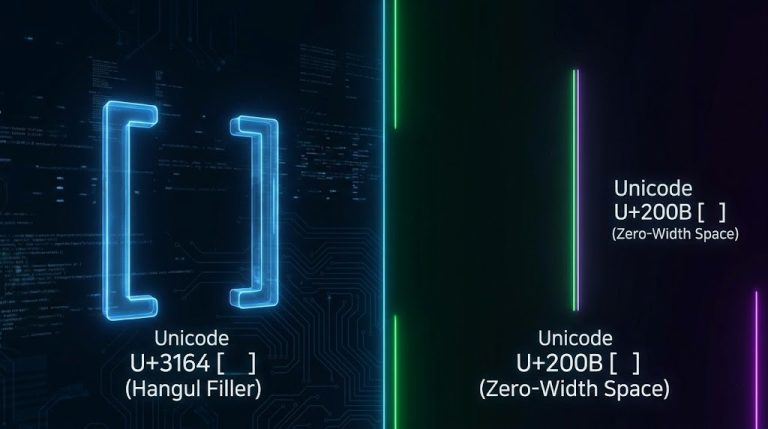
The Zero Width Space is a non-printing character used to indicate word boundaries to text processing systems without displaying any visible gap. It allows browsers and rendering engines to insert automatic line breaks in long strings of text (like URLs or continuous scripts like Thai) exactly where the ZWSP is placed, preventing formatting breakage on narrow screens.
Zero Width Joiner (ZWJ) – U+200D
The Zero Width Joiner dictates that two separate characters should be merged or rendered as a single cohesive glyph (a ligature) if supported by the font. It is fundamentally critical in complex scripts (like Arabic or Devanagari) and is the engine behind complex emojis. For instance, combining the “Man” emoji, a ZWJ, and the “Laptop” emoji results in the single “Male Technologist” emoji (👨💻).
Zero Width Non-Joiner (ZWNJ) – U+200C
The exact opposite of the ZWJ, the Zero Width Non-Joiner is inserted between two characters that would normally fuse into a ligature, forcing the rendering engine to keep them separate in their original forms. It is essential in Persian and Arabic typography to maintain correct letter shaping.
Hangul Filler – U+3164 (and U+FFA0)
The Hangul Filler is a specific blank character originally used to structure Korean Hangul text elements. Because it functions as a spacing character but is treated by many digital platforms (like social media bios and gaming client names) as a standard letter character, it is frequently used to create “invisible usernames” or empty text messages where standard spaces are blocked.
Braille Blank – U+2800
The Braille Blank character represents an empty Braille pattern (no raised dots). Visually, it produces a fixed-width empty space. It is frequently exploited in modern digital interfaces and social media to force blank lines, bypass character-trimming filters, or format text in platforms that otherwise strip standard consecutive spacebars.
Non-Breaking Space (NBSP) – U+00A0
The Non-Breaking Space functions exactly like a standard space but prevents the text rendering engine from breaking the line at its location. It ensures that related words (like “$100” and “million”, or a measurement like “10 kg”) stay together on the same line, preventing awkward typographic widows.
Word Joiner (WJ) – U+2060
The Word Joiner is an invisible control character that strictly prevents line breaking between the characters surrounding it. It replaced the deprecated Zero Width No-Break Space (ZWNBSP) and is used when you need to definitively glue two characters together across line wraps without inserting a visible space.
Soft Hyphen (SHY) – U+00AD
The Soft Hyphen remains completely invisible unless a word appears at the very edge of a text box and needs to wrap to the next line. In that scenario, the rendering engine breaks the word at the exact location of the Soft Hyphen and visually displays a standard hyphen. It provides writers granular control over how long words break across lines in responsive web design.