Mastering the Invisible: How to Get a PUBG Mobile Blank Name with Safe Symbols
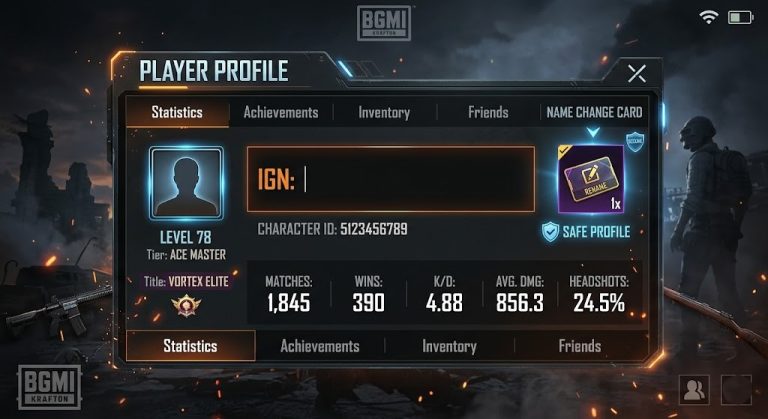
Ever wondered how some PUBG Mobile players rock a name that seems to disappear? A name that’s either partially or entirely invisible, leaving opponents guessing and teammates impressed? Achieving a pubg mobile blank name isn’t just a cool trick; it adds a layer of anonymity and uniqueness to your in-game persona. However, many players struggle with this, often encountering “invalid character” errors or, worse, risking a run-in with the anti-cheat system by using unsupported methods.
Fear not, tactical wordsmiths! This comprehensive guide will equip you with the knowledge and, more importantly, the *safe symbols* to craft your very own blank or near-blank PUBG Mobile name without triggering any anti-cheat alarms. We’ll focus exclusively on legitimate Unicode characters that are generally accepted by the game, ensuring your account remains secure while your name becomes legendary (or legendarily invisible!).
Why Go Blank? The Allure of the Invisible Name
The desire for a pubg mobile blank name stems from several compelling reasons:
- Uniqueness & Style: Stand out from the crowd with a name that truly breaks the mold.
- Anonymity: Sometimes, you just want to play without your name immediately giving you away in kill feeds or the leaderboard.
- Intrigue: A blank name sparks curiosity. How did they do that?
- Strategic Advantage (Minor): While not a major factor, a less obvious name can sometimes make it harder for enemies to quickly identify you in a chaotic fight, especially with the smaller name tags.
The Challenge: PUBG Mobile’s Anti-Cheat and Name Restrictions
Simply trying to type spaces into your name field won’t work. PUBG Mobile, like most online games, has strict rules about usernames. These rules are in place to prevent offensive names, ensure display compatibility, and, crucially, to maintain game integrity through its robust anti-cheat system. Using unsupported characters or attempting exploits can lead to:
- “Invalid character” errors during name changes.
- Temporary bans.
- Even permanent account suspension in severe cases.
This is why focusing on safe symbols is paramount. We’re not looking for loopholes; we’re using characters that are part of the widely accepted Unicode standard and are rendered in a way that appears blank or minimal within the game’s engine, without being flagged as malicious or forbidden.
Understanding Valid Unicode Symbols for Your Blank Name
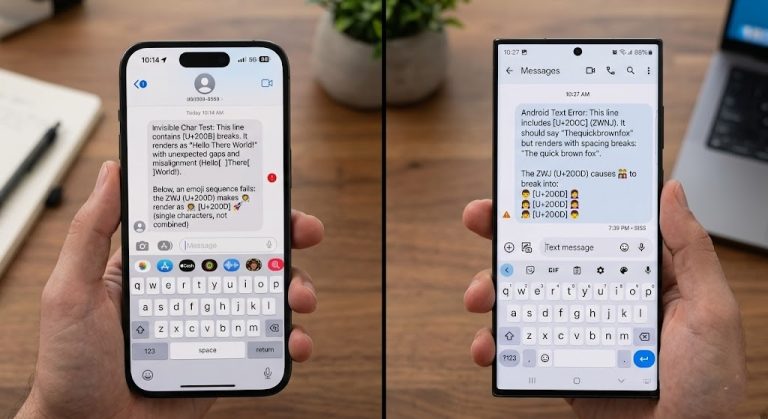
PUBG Mobile supports a vast array of Unicode characters, which include symbols from various languages and special character sets. Among these are certain “invisible” or “spacing” characters that, when rendered in the game, appear as empty space or are so minute they are practically indistinguishable. These are the characters we’ll leverage for your pubg mobile blank name.
The key here is that these symbols are legitimate, globally recognized characters, not glitches or exploits. They are treated by the game as valid input, making them perfectly safe to use.
The Safe Bet: Unicode Characters for Your PUBG Mobile Blank Name
Let’s dive into the specific symbols that have been tried, tested, and proven safe for creating your invisible moniker. Remember, for each symbol, you’ll need to copy it precisely.
Braille Pattern Blank (U+2800)
This is arguably the most popular and reliable character for achieving a full or partial pubg mobile blank name. It’s technically a Braille pattern for an empty cell, which means it renders as a completely invisible space in many text environments, including PUBG Mobile.
- Symbol to Copy:
⠀(Yes, that’s an invisible character between these quotes! Select the empty space carefully to copy it.) - How to Use:
- Copy the symbol above. You might need to highlight the empty space carefully.
- Open PUBG Mobile and navigate to your inventory.
- Locate and use a Name Change Card. (If you don’t have one, you’ll need to acquire it from the shop or through events.)
- In the “Enter New Name” field, paste the copied symbol.
- You can paste multiple instances of this symbol to create a longer blank name (e.g.,
⠀ ⠀ ⠀). - Preview your name to ensure it looks as desired before confirming.
Hangul Filler (U+3164)
Another excellent choice that functions similarly to the Braille Pattern Blank. The Hangul Filler is a Korean character that primarily serves as a spacing character and is rendered as an invisible space in most text engines.
- Symbol to Copy:
ㅤ(Again, select the empty space carefully between these quotes to copy the invisible character.) - How to Use:
- Copy the symbol above.
- Follow the same steps as detailed for the Braille Pattern Blank (using a Name Change Card in your inventory).
- Paste one or more instances of the
ㅤsymbol into the name field. - Always preview to confirm the desired effect.
Combining with Other Characters for Creative Names
You don’t have to go fully blank. These invisible symbols are incredibly versatile and can be strategically placed to create partially invisible or uniquely formatted names. This allows for a blend of visibility and mystery.
- Invisible Prefix:
ㅤYourName(Your name appears after a blank space) - Invisible Suffix:
YourNameㅤ(Your name followed by a blank space) - Invisible Separator:
YourㅤName(An invisible space between words) - Longer Blank Effect:
⠀ㅤ⠀ㅤ⠀(Mixing symbols can sometimes bypass “name taken” issues if a simple blank is already used)
Experiment with these combinations to find a name that perfectly suits your style and tactical preferences. The character limit still applies, so keep your combinations within the allowed length (typically 14-20 characters, depending on recent updates).
Step-by-Step Guide to Changing Your PUBG Mobile Name
Once you have your chosen blank symbols, changing your name is straightforward:
- Obtain a Name Change Card: These are available in the in-game shop (usually for UC or sometimes G-Coins) or can be earned through various events, missions, or Royale Pass rewards.
- Go to Your Inventory: From the main lobby, tap on “Inventory” at the bottom right.
- Locate and Use the Card: In your inventory, navigate to the “Crates” or “Other” section where utility items are stored. Find the “ID Card” (Name Change Card) and tap “Use.”
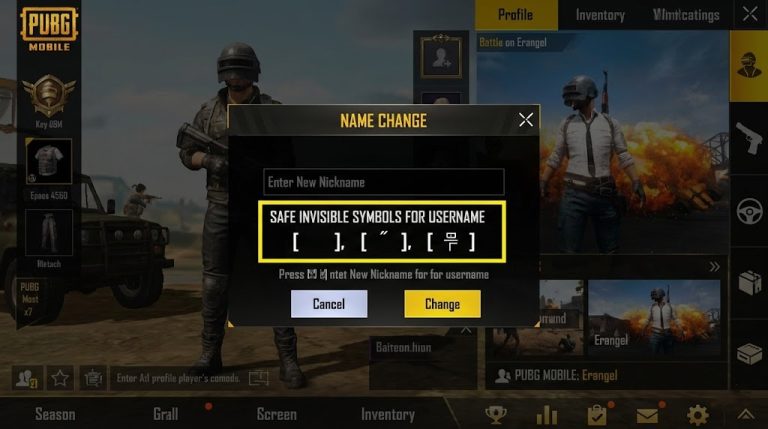
- Enter Your New Name: A pop-up will appear prompting you to enter your new name. This is where you will paste the blank symbols you copied earlier.
- Preview and Confirm: Crucially, always check the preview. If it looks blank or as intended, tap “OK” to confirm the name change.
Important Considerations and Pro Tips
- Name Change Card is Essential: You absolutely need an “ID Card” to change your name. No card, no blank name.
- Character Limit: Even invisible characters count towards the name’s character limit. Plan your blank sequences accordingly.
- Uniqueness is Key: Like any other name, your blank name must be unique. If “⠀” is already taken, try “⠀ ⠀” or “ㅤ”. Experiment with combinations if you encounter the “Name already taken” error.
- Always Preview: The preview window is your best friend. Use it to ensure your name appears exactly as you envision it before spending your Name Change Card.
- Avoid Third-Party Generators (Unless Verified): Stick to the specific Unicode characters provided here. Random blank name generators found online can sometimes use unsupported symbols that could lead to issues.
- Game Updates: While the symbols provided are generally stable and safe, game updates *can* occasionally alter how certain characters are rendered. These specific Unicode blanks have a strong track record, but it’s always good to be aware.
Troubleshooting Common Issues
- “Name already taken”: This is common for popular blank names. Try adding more blank symbols, or combining different types of blanks (e.g.,
⠀ㅤ⠀). - “Invalid characters”: Double-check that you copied the symbols precisely. Sometimes extra spaces or other unintended characters can get copied. Re-copy from a reliable source.
- “My name disappeared!”: Congratulations, that’s the goal! Your name is now a perfect pubg mobile blank name.
Conclusion: Embrace the Stealth of Your New Name!
Achieving a pubg mobile blank name is a fantastic way to personalize your gaming experience and add a touch of mystery to your presence on the battlefield. By using the safe and legitimate Unicode symbols like the Braille Pattern Blank (⠀) and the Hangul Filler (ㅤ), you can customize your name without fear of the anti-cheat system.
So, grab your Name Change Card, copy those invisible characters, and get ready to dominate the arena with a name that speaks volumes by saying nothing at all. Happy gaming!