Invisible characters are incredibly useful for formatting, gaming usernames, and social media tricks. However, because they are visually hidden, they can cause frustrating technical issues, syntax errors, and database anomalies.
This comprehensive troubleshooting guide covers the most common problems associated with invisible Unicode characters and provides step-by-step solutions for developers and everyday users.
1. The “Tofu Box” Error (Unsupported Characters)
The Problem (Troubleshooting Invisible Characters)
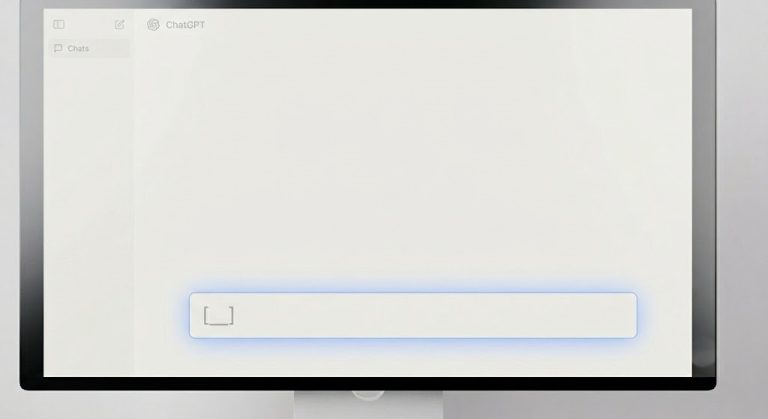
You copied an invisible character to use as a blank username, but instead of an empty space, you see a strange rectangle or a box with an “X” inside it (□).
The Cause
This phenomenon is known as “Tofu.” It happens when your operating system, browser, or the specific app (like an older game) does not have a font that supports that specific Unicode code point.
The Fix
- Change the Character: Not all platforms support every Unicode character. If the Hangul Filler (U+3164) shows as a box, try using the Braille Pattern Blank (U+2800) or a Zero Width Space (U+200B) instead.
- Update Your Software: Ensure your browser or app is updated to the latest version, as newer versions include updated Unicode font libraries.
2. Syntax Errors in Code (The “Invisible Bug”)
The Problem
Your code looks completely perfect, but the compiler or interpreter (like Python, JavaScript, or C++) throws a SyntaxError or an Unexpected Token error on a seemingly empty line.
The Cause
You likely copied code from a blog, PDF, or forum that accidentally included an invisible character, such as a Zero Width Non-Joiner (ZWNJ) or a non-breaking space (NBSP), mixed in with the standard spaces. The compiler cannot interpret these Unicode characters as standard whitespace.
The Fix
- Use a Code Editor with Formatting Visualization: Open your code in an editor like VS Code or Notepad++ and enable the “Show Whitespace” feature.
- Find and Replace: Copy the problematic invisible gap, open your IDE’s Find and Replace tool, paste the invisible character into the “Find” field, and replace it with a standard spacebar stroke.
- Regex Stripping: Run a script to sanitize your code:
text.replace(/[\u200B-\u200D\uFEFF]/g, '');
3. Form Submission Failures (Database Errors)
The Problem
A user submits a form on your website, but the database saves a blank entry, breaking the user interface or causing Null Reference exceptions later in the application.
The Cause
The user bypassed your client-side validation by entering an invisible character. Since the length of an invisible character is > 0, standard if (input.length > 0) checks will pass it as valid data.
The Fix
Update your backend and frontend validation logic to specifically trim Unicode whitespace.
// JavaScript fix: Checking if the string only contains whitespace/invisible characters
function isTrulyEmpty(str) {
    return /^[\s\u200B\u200C\u200D\uFEFF\u3164]*$/.test(str);
}
4. Unwanted Line Breaks or Missing Spaces in HTML
The Problem
Your text is wrapping weirdly on mobile devices, or words are sticking together when they shouldn’t be.
The Cause
You might be using the wrong type of invisible character for your layout goals. Using a Non-Breaking Space ( ) where text should wrap will force it off the screen. Using a Zero Width Space (​) where text should not break might cause a word to split in half.
The Fix
- For keeping words together: Use the Non-Breaking Space (
). - For allowing long URLs or strings to break cleanly: Use the Zero Width Space (
​).
5. Cannot Delete Invisible Text on Mobile
The Problem
You pasted an invisible character into a WhatsApp status or Instagram bio, and now your cursor is stuck, or pressing the backspace key doesn’t seem to delete it immediately.
The Cause
Some invisible characters act as modifiers or joiners. Because they have zero width, your cursor doesn’t visually move when you navigate over them, making it feel like the backspace key isn’t working.
The Fix
Hold down the backspace key for a few seconds to clear the entire text field, or use the “Select All” feature on your keyboard and hit delete to ensure all zero-width characters are entirely removed from the buffer.
6. JSON Parsing Failures
The Problem
Your API returns a JSON.parse() error stating there is an unexpected token.
The Cause
An invisible character is hidden inside a JSON key or unescaped string value.
{ "id": 1, "name\u200B": "John" } -> The key is not "name", it is "name[ZWSP]".
The Fix
Sanitize database inputs before converting them to JSON, ensuring all keys are strictly stripped of non-ASCII characters unless explicitly required.